
Lobby displays, meeting-room schedules, internal comms — at every floor.
Greet visitors at reception. Show the day's meeting schedule on the boardroom door. Share KPI dashboards on the open-plan TV. Internal news in five languages for international teams.
The product, in use
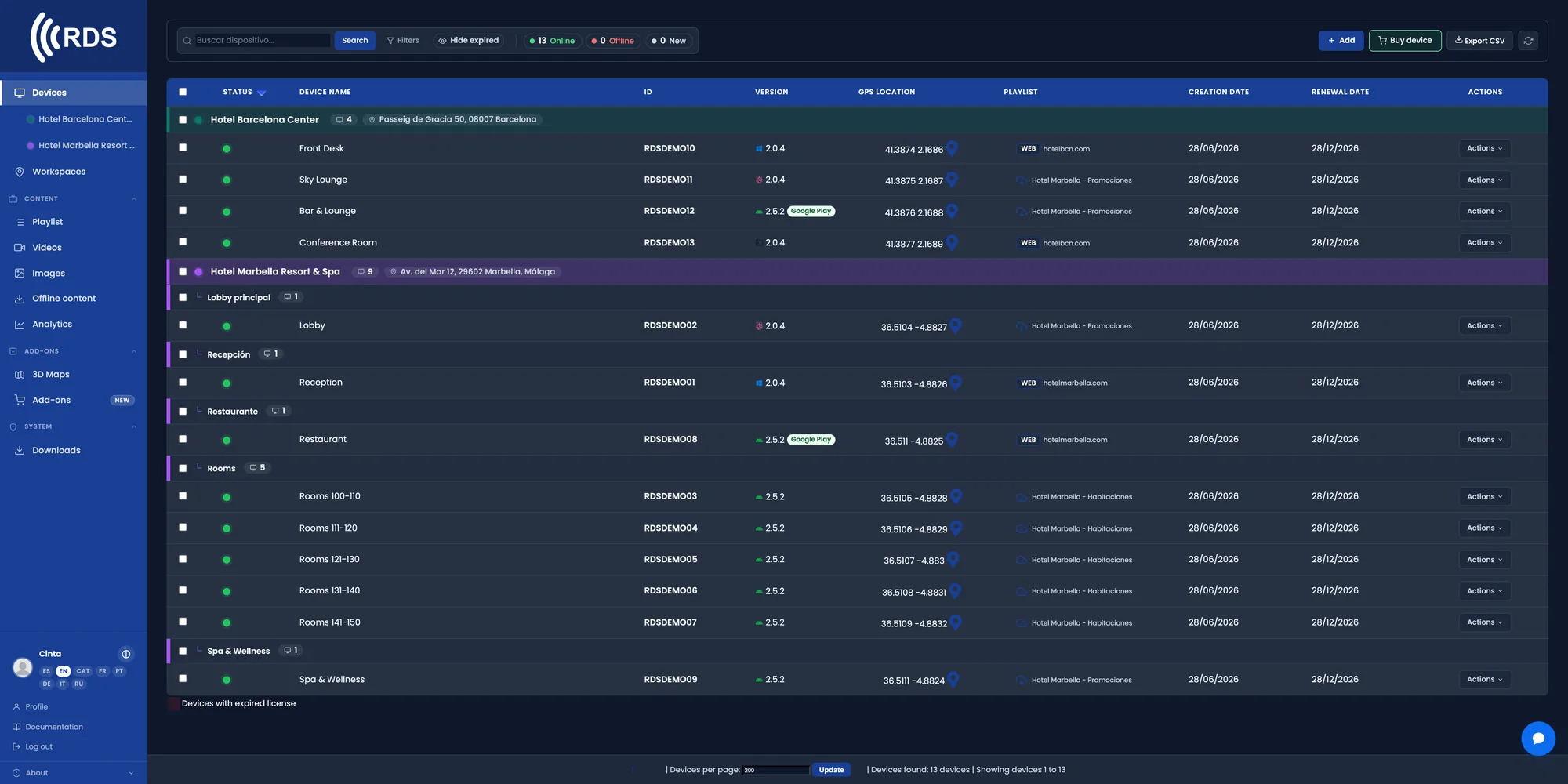
Every floor and every room, in one list
Reception, meeting-room doors, floor screens and the canteen. Live status for each one and what it is showing right now.

Group by building and by floor
Each floor can show its own KPIs and its own notice. You assign content to the whole group in one go.
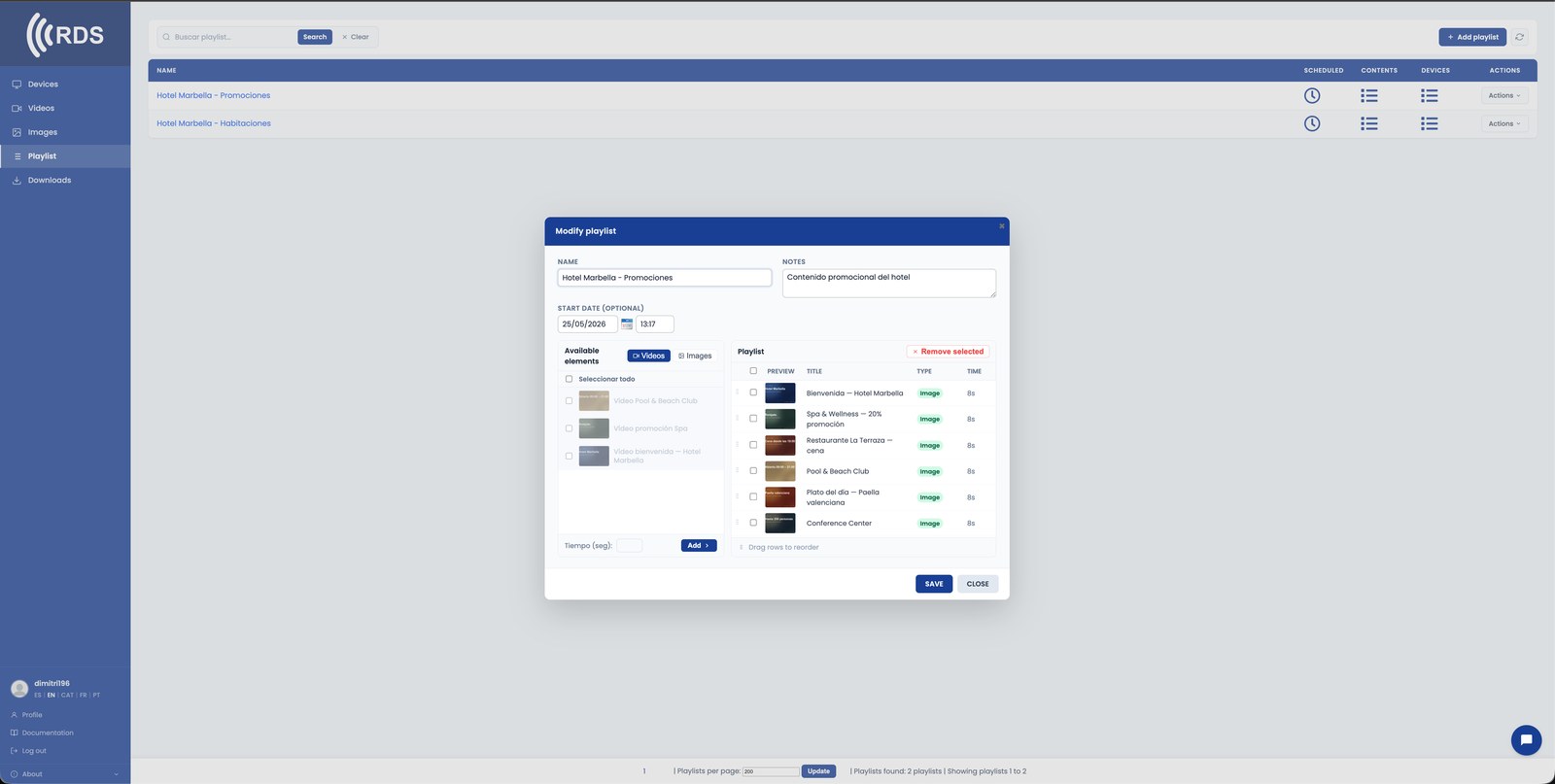
The announcement goes out at the agreed time
Drag the announcement into its slot: the morning welcome, the internal notice at midday, the wrap-up at closing time.
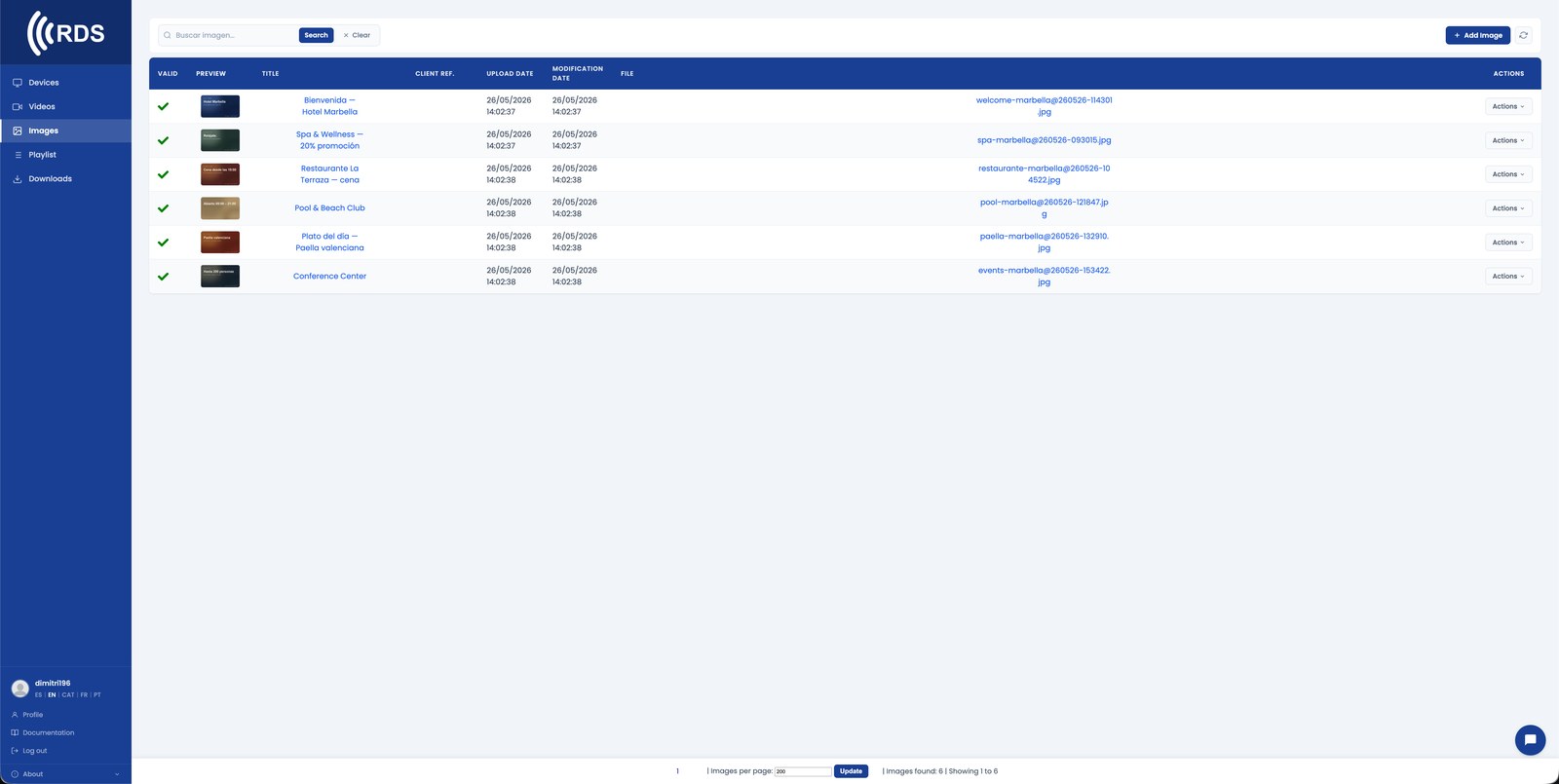
A dashboard or a calendar, as it is
If the data already lives at a URL — the KPI panel or the room calendar — the screen shows it live with nothing to export.
Why it fits offices
One announcement, every floor
You publish once and it reaches every screen in the building. No email chains that nobody opens.
Content by floor or team
Engineering and sales can see different metrics at the same site, from the same panel.
Live dashboards
Any internal URL can go on screen and refreshes itself. No exporting screenshots every morning.
International teams
The same loop can alternate the message across several languages within the cycle.
No IT ticket for every change
Internal comms or HR manage the content from the browser, with their own user and permissions.
Hardware you already have
Any monitor or TV with HDMI and an Android TV stick, a tablet or a Linux mini-PC behind it.
Know the announcement went out
How many times each announcement played and how many hours each screen was online during its usual hours, so nothing counts as seen that never aired.
Common setups
Visitor reception
Personalised welcome screens. Today's meetings, the wifi password, directions.
Meeting-room signage
Live booking calendar at every door. Free / busy at a glance.
Open-plan dashboards
KPI screens, internal feeds, daily metrics.
Internal news
Company-wide announcements pushed to every floor, in every supported language.
How it fits
Pair your screens
Existing meeting-room TVs work fine. Add an Android stick or Linux mini-PC.
Connect a calendar
Show today's bookings via a public web URL (Google Calendar, Microsoft 365).
Push content from anywhere
The office manager updates the lobby. IT manages the dashboards. Communications manages the announcements.
Installing on Android
Android phones and tablets with Google Play: install the app from Google Play, which keeps it up to date.

Signage players and other Android devices without Google Play: download the APK directly; updates are sent from your console.
Google Play and the Google Play logo are trademarks of Google LLC.
Pricing
Frequently asked questions
Can I show an internal dashboard on the screen?
Yes. If the dashboard is at a URL reachable from the device's network, the screen shows it live, like a browser in kiosk mode.
Can someone outside IT manage it?
Yes. The panel is web-based and supports several users with permissions. Internal comms or HR can publish without touching the infrastructure.
Does it work for meeting-room signage?
Yes. You can put a small screen on each door showing a web page with that room's calendar.
What if we have several sites?
Each site can be a group within the same panel. You publish to one specific site or to all of them at once.
OTHER INDUSTRIES
Start with the reception screen.
30-day trial, no card required. Includes 10 devices, 10 images and 10 videos — enough to cover reception, a couple of meeting rooms and one floor.