
Menu boards, daily promos, order-ready screens — from one app.
Update your menu when ingredients change. Push the daily special before service. Switch to a queue board at lunch and back to a promo loop at dinner. From any phone.
New · Digital Menu
Your guests scan the QR code on the table, see the menu with photos and allergens, and order from their phone. The order lands on the kitchen screen instantly, with the table number. And the AI does the heavy lifting: it translates the whole menu and proposes the design from a single sentence.


A real, running demo. Tap either one to open it: add a dish from the menu and the ticket shows up on the kitchen screen. This is test data, and the dishes have no photos.
A QR per table
Every table has its own code. Orders arrive identified, so nobody has to ask which table they came from.
Built into the kitchen
Kitchen, bar and desserts can run separate screens: each sees only its own items and marks them ready with one tap.
Allergens always visible
All 14 EU declarable allergens, dish by dish. Plus vegan, gluten-free and spicy labels.
The bill on their phone
The guest reviews what they ordered and signals they want to pay, saying whether it will be cash or card.
Eight languages, no translator
Spanish, Catalan, English, French, German, Italian, Portuguese and Russian. Translate the whole menu at once and every guest reads it in their own language: tourists stop being a menu problem.
Nothing to install
Guests download no app: they scan and order. You change neither your POS nor your system.
AI in two specific places — translating the menu and styling it. You trigger both. The styling you preview before publishing it; the translation is written straight into your menu, so read it over: you can correct the name and description of any dish, in every language.
Translates the whole menu
You write the dishes in your language and the AI fills in the rest: names and descriptions, dishes and sections. Proper names are left alone — "pulpo a feira" stays as it is, and the description is what gets translated. Anything you wrote by hand is not overwritten.
And styles it from your description
You write "beach shack, bright, blue and sand" and the AI proposes colours, type and layout. It writes no code: it chooses inside the template, and a validator fixes the contrast before you even see it, so an unreadable menu never comes out. You preview it, and publish only if you like it.
- or €421.20/year, a 10% discount
- Includes one restaurant, with unlimited tables and kitchen stations
- 10-day trial (requires a saved card)
- Added to your Digital Signage RDS subscription
The product, in use
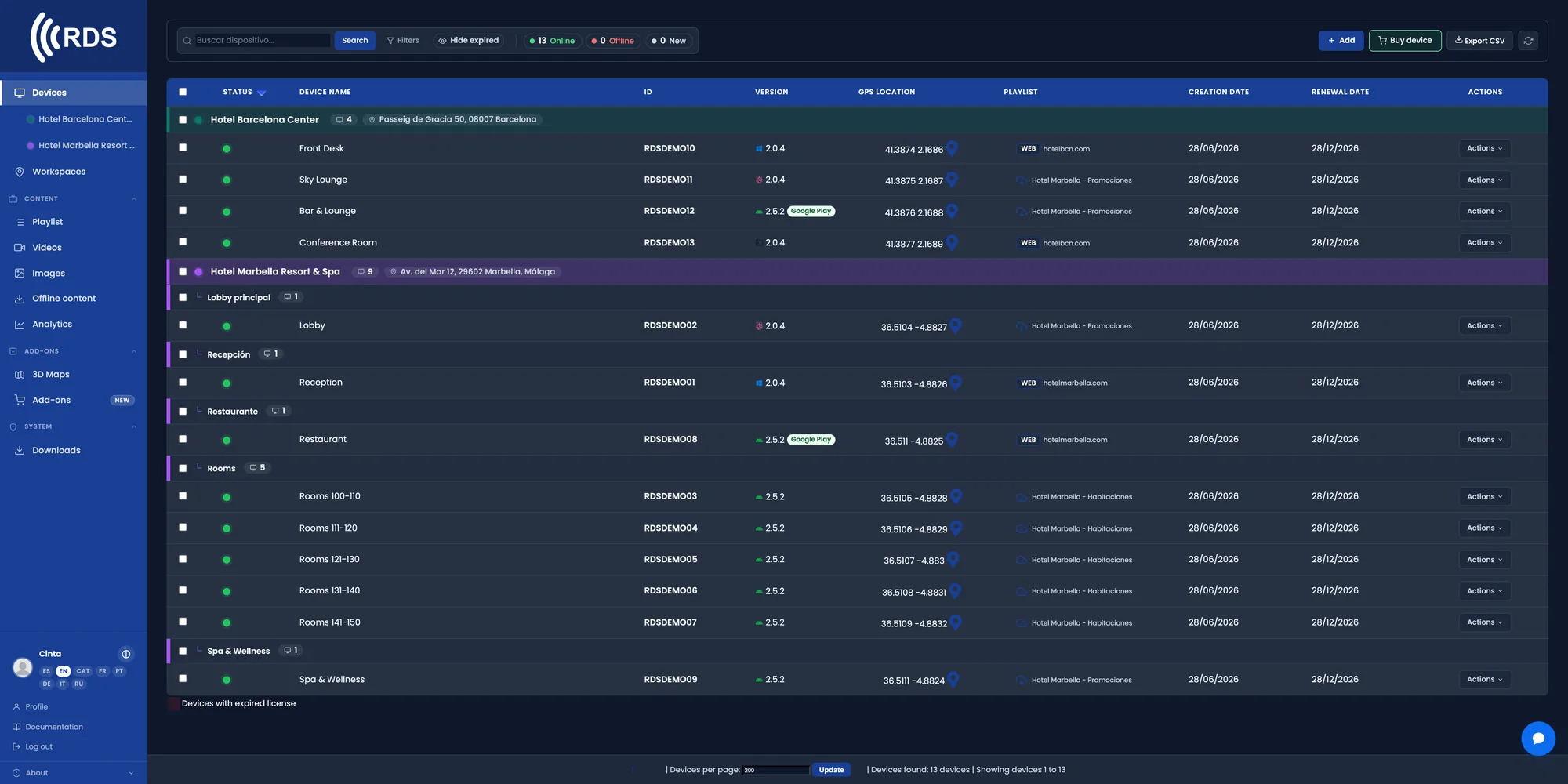
All your screens in one list
Bar, terrace, kitchen, window display. Live status, player version and what each one is showing. If one goes down, you see it before your customers do.
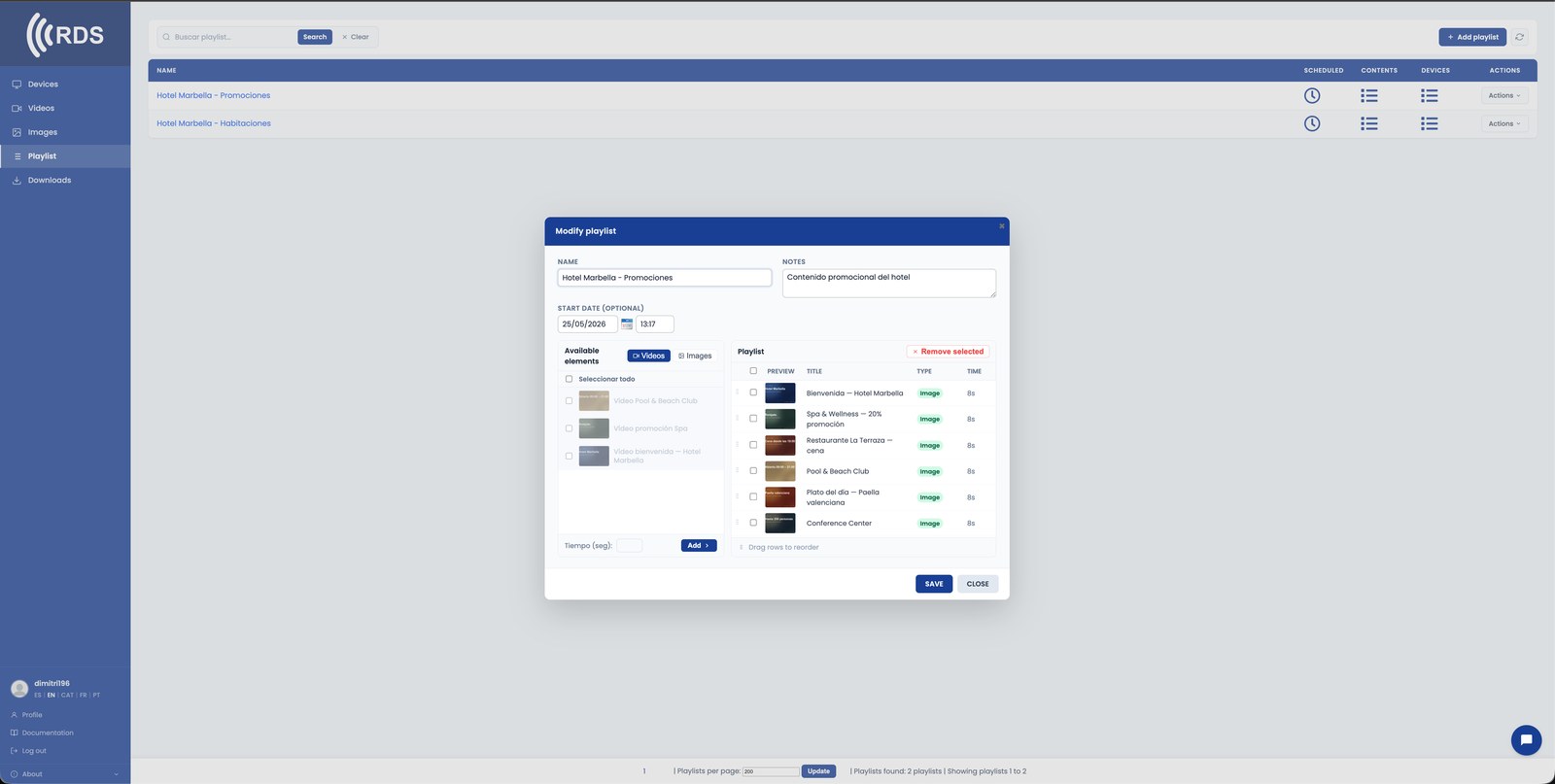
The menu changes on its own at 13:00
Drag each playlist to its time slot: breakfast from 7 to 11, set menu from 13 to 16, dinner from 20 to 23. It repeats every day without anyone touching the screen.
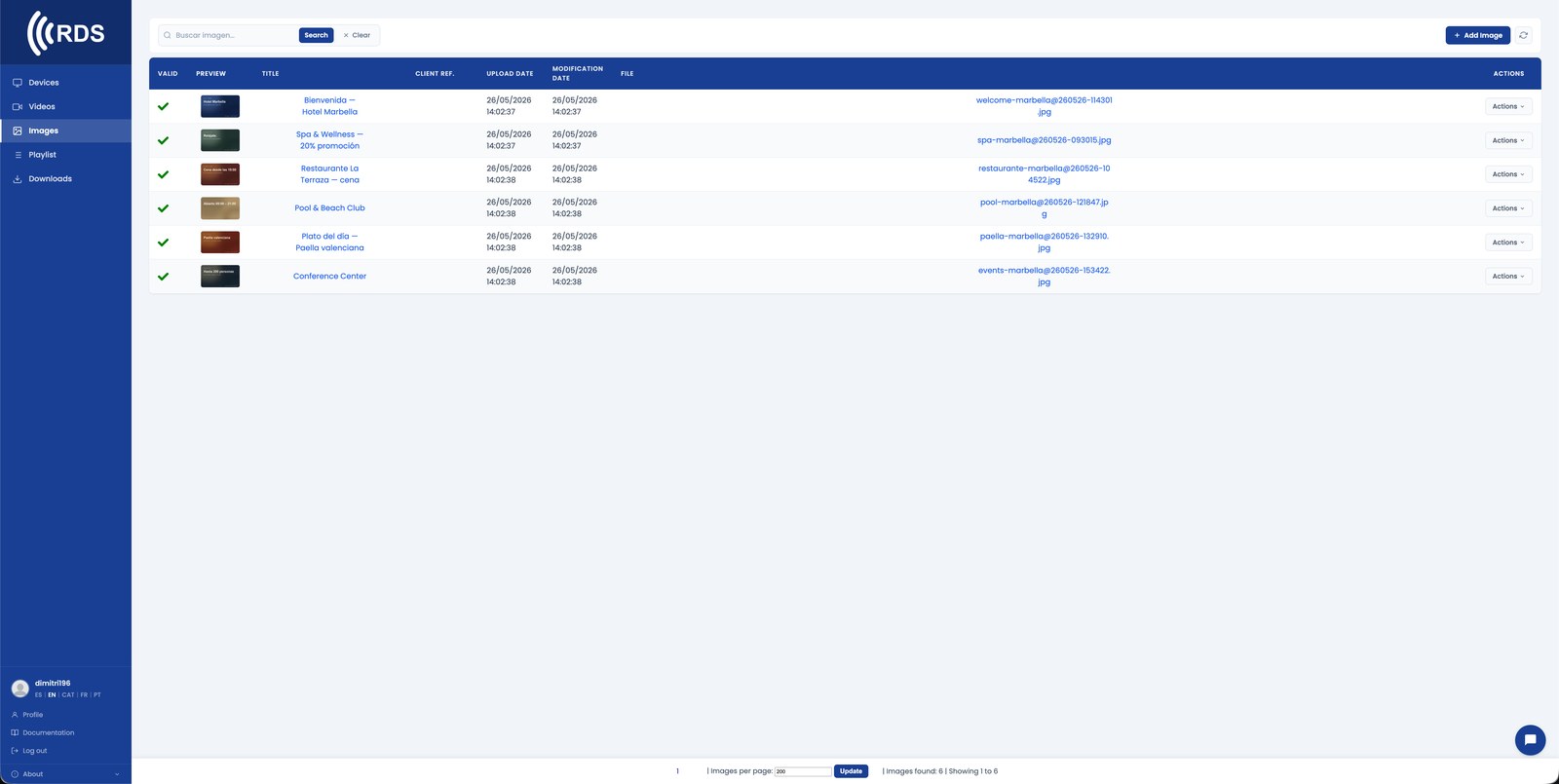
Upload your menu as an image, video or web page
JPG, PNG, WebP, MP4 or a live URL. Change a price, upload it, and it goes out on the next playback cycle.

Several venues, a single panel
Group screens by venue and see where each device is. Send a promotion to one venue or to the whole network at once.
Why it fits hospitality
No more reprinting
Change a dish or a price from your phone and the screen updates itself. No redoing menus, no waiting for the print shop.
Hide what has run out
The fish of the day is gone: take it off the playlist in seconds and it stops being advertised in the dining room.
Scheduled by service
Breakfast, lunch and dinner have different content and different hours. Set it once and it repeats on its own.
Staff never touch the screen
The player is locked in kiosk mode. Everything is managed from the web, not from the floor.
Hardware you already have
Any TV with HDMI plus an Android TV stick, a tablet or a Linux mini-PC behind it. No proprietary screens.
Keeps running offline
The device stores the downloaded content and carries on playing it. When the line comes back, it syncs by itself.
Which menu pages get opened
With a PDF menu on a touch screen you see which pages get read, where people stop reading and where they tap, on a heatmap. On the dining-room screens, how many times each dish or promotion played.
Common setups
Digital menu boards
Replace printed menus. Hide a dish when stock runs out. Switch the offer hour by hour.
Daily promos
The Tuesday menu, the wine pairing, the Sunday brunch — scheduled per day and service.
Order-ready screens
Order numbers or customer names at the counter. Staff don't touch the screen — updates come from the web.
Outdoor specials
A weatherproof screen out front with the dish of the day, updated remotely.
How it fits
Plug it in
Android TV stick (€60), a tablet, or a Linux mini-PC behind any HDMI screen.
Drop your content
Menu images, kitchen videos, promotional graphics. Mix any format.
Schedule by hour
Breakfast 7-11, lunch 12-3, dinner 19-23. Or override instantly if something runs out.
Installing on Android
Android phones and tablets with Google Play: install the app from Google Play, which keeps it up to date.

Signage players and other Android devices without Google Play: download the APK directly; updates are sent from your console.
Google Play and the Google Play logo are trademarks of Google LLC.
Pricing
Frequently asked questions
Do I have to buy new screens?
No. Any TV or monitor with HDMI will do: you plug in an Android TV stick, a tablet or a Linux mini-PC. If you would rather receive it already configured, we also sell the device ready to plug in.
Can I change the menu from my phone?
Yes. The panel is web-based and works the same on a phone. Upload the new image or reorder the playlist, and the screen picks it up on the next cycle.
What happens if the internet goes down at the venue?
The player stores the content on the device itself and keeps showing the last thing it downloaded. When the connection returns it syncs automatically.
Does it work if I have several venues?
Yes. You can group screens by venue and send content to one specific group or to all of them at once from the same panel.
OTHER INDUSTRIES
Get your menu on screen this week.
30-day trial, no card. Includes 10 devices, 10 images and 10 videos — enough to set up a real pilot in your venue.