
Point-of-sale promos, queue management, product screens — across every store.
Push the seasonal campaign to all stores overnight. Replace static price tags with dynamic content. Show queue position at the checkout. Update from HQ, no store-level fiddling.
The product, in use
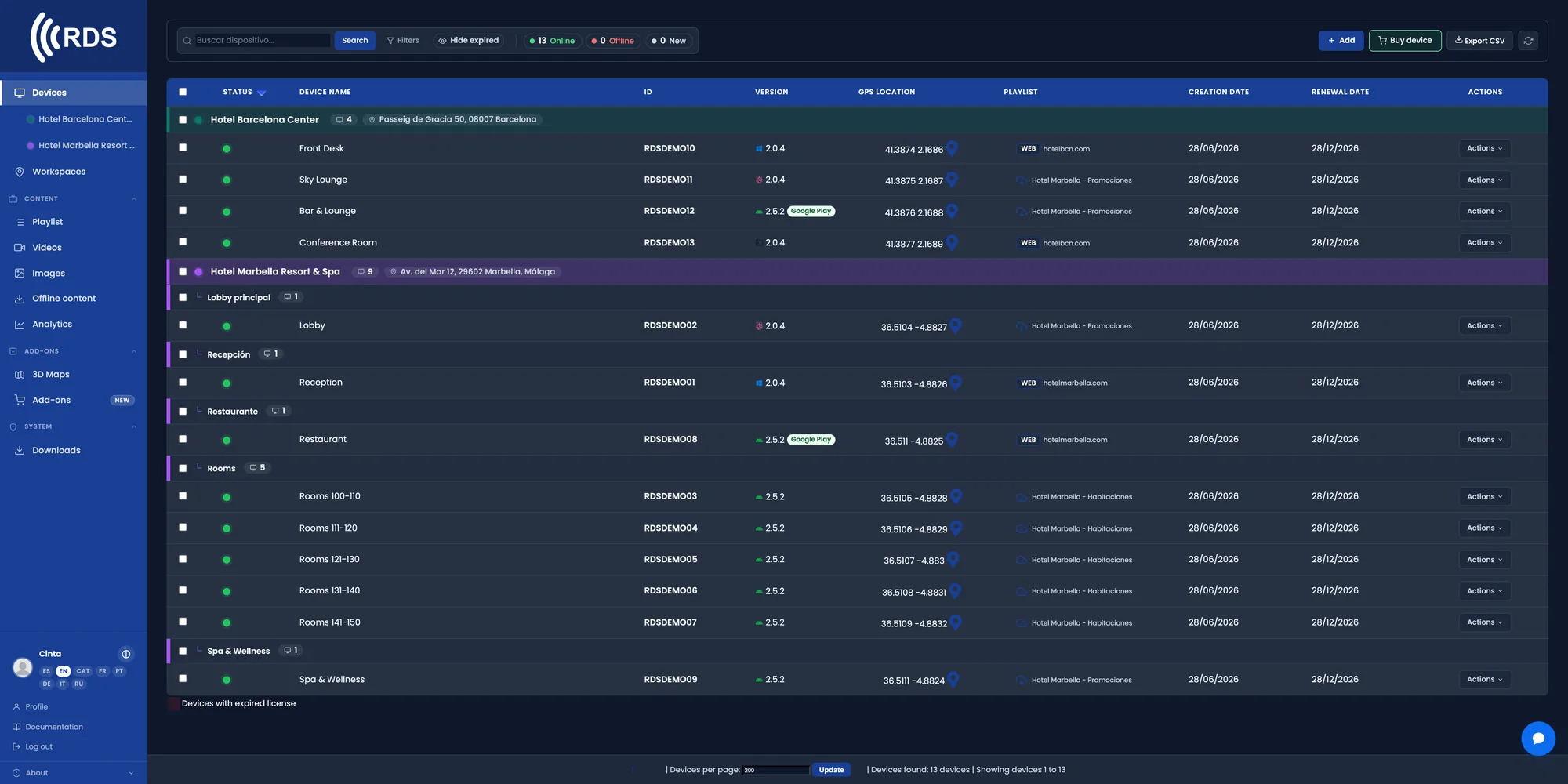
All 50 stores in a single list
Every window display, every counter, every fitting-room screen. Live status and what each one is playing. If a store has a screen down, you see it from HQ.

Schedule the campaign before it starts
You load the sale campaign with a start date. It goes live on its own at 00:00 across every store, with no one opening up early.

Brand video, prices and atmosphere
MP4 for brand videos, images for prices and offers, or a web URL if your own system drives the price. All in the same loop.

The same campaign, or one per area
Group stores by region or format and send different content to each group from the same panel.
Why it fits retail
The campaign goes live by itself
You set the date and time once. No calling 50 store managers to change the poster that night.
No reprinting signage
Change a price or an offer from the panel. No more design, print and courier cycle to each store.
Content by region
A national promotion and a local one can coexist. Each group of stores runs its own loop.
Staff touch nothing
The screen stays locked in kiosk mode. Nobody in store has to switch anything on, change it or shut it down.
You know what is on air
From HQ you see what each screen is playing right now, without trusting that someone changed it.
Keeps running offline
If the store line goes down, the device carries on with the last content it downloaded and syncs when it is back.
Measure which promotion works
How many times each ad played and which ones fell short. And on a touch screen with your web catalogue, which pages get visited, for how long and where people tap, on a heatmap. No cameras: it counts taps, not people.
Common setups
Window & shelf promos
Seasonal campaigns, daily offers, end-of-line clearance. Schedule in advance.
Queue & order-ready
Queue boards at deli counters and fitting rooms. No staff intervention.
Product info loops
Brand videos, how-to-use clips, in-store ambient content.
Multi-store rollout
One playlist, all 50 stores. Or different content per region.
How it fits
One device per screen
Android TV stick or signed Linux box. 30-second pairing.
Build the campaign
Drop images, videos, web URLs. Set the order and per-slide duration.
Ship to every store
All stores, a region, or a single shop. Live in under a minute.
Installing on Android
Android phones and tablets with Google Play: install the app from Google Play, which keeps it up to date.

Signage players and other Android devices without Google Play: download the APK directly; updates are sent from your console.
Google Play and the Google Play logo are trademarks of Google LLC.
Pricing
Frequently asked questions
Can I launch a campaign to every store at once?
Yes. You create the playlist once, assign it to whichever store group you want and it is distributed to every device in that group. You can leave it scheduled with a start date.
Can I have different content per store or per region?
Yes. Screens are grouped by store, region or format, and each group can run its own playlist.
Do I need technical staff in every store?
No. The device starts up on its own and stays locked in kiosk mode. All management happens from the web panel.
What happens if a store loses its connection?
The player stores content locally and keeps playing. When the internet returns it syncs automatically with the latest published content.
OTHER INDUSTRIES
Launch your next campaign from a screen.
30-day trial, no card required. Includes 10 devices, 10 images and 10 videos — enough to test it across several stores before deciding.