
Hallway boards, cafeteria menus, event signage — for every campus.
Daily class schedules in the hallway. Lunch menu in the canteen. Sports fixtures in the gym. Event announcements at the entrance. All managed by the school office, no IT ticket required.
The product, in use
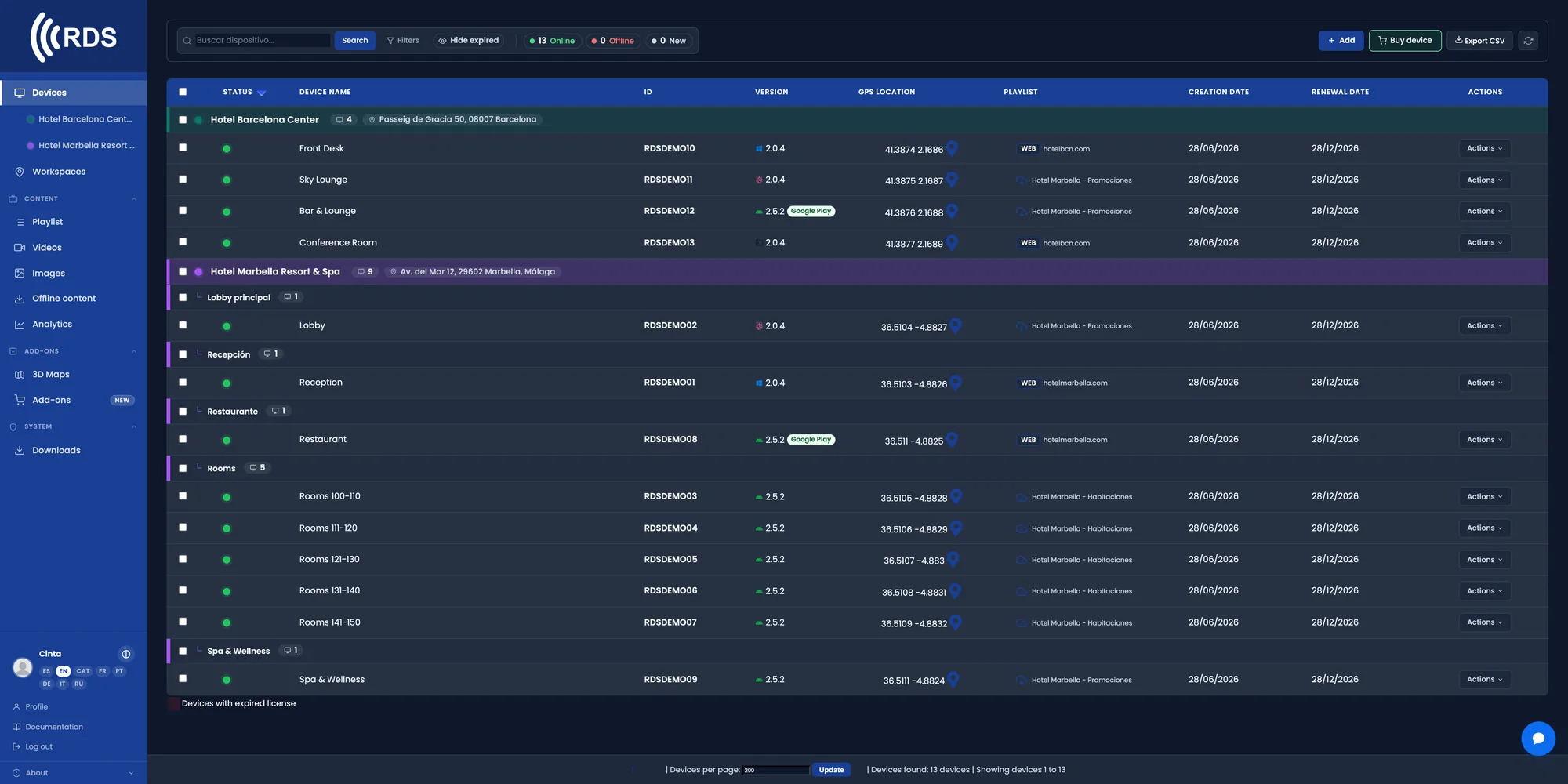
Every screen on campus
Corridors, canteen, gym and entrance. Live status for each screen and what it is showing, without walking the building to check.

One school, or the whole district
Group screens by building or by school. The general notice goes to everyone; the classroom change only to those affected.

The menu in the morning, events in the afternoon
Each piece of content has its slot: timetables and menu first thing, results and notices at the end of the day. It repeats itself every week.
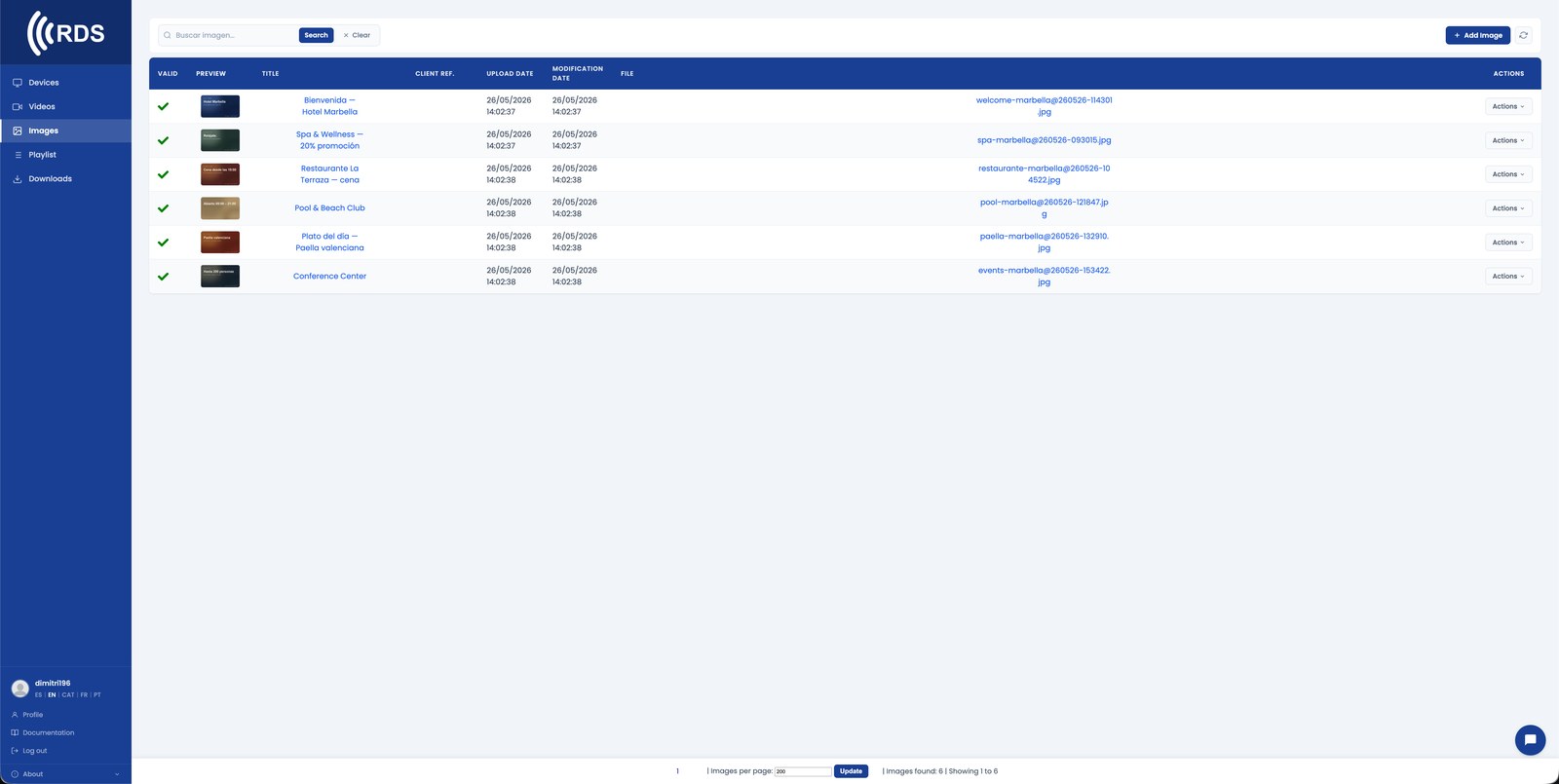
Upload the menu or the timetable and you are done
An image of the weekly menu, the timetable PDF exported as an image, or a URL with the exam calendar.
Why it fits schools
The office staff manage it
The panel is web-based with users and permissions. No need to open an IT ticket to change Thursday's menu.
Last-minute changes
A room change or a cover teacher is published in minutes and appears in the right corridor.
By building or by school
Primary and secondary can show different things, and the district can push a shared notice to everyone.
Menus and allergens
The weekly menu with allergens and alternative options, always visible in the cafeteria and always up to date.
Low-cost hardware
Any TV with HDMI and an Android TV stick behind it. No need to buy special screens.
Works offline
If the school network fails, the screen keeps showing the last content downloaded and syncs when it is back.
Common setups
Daily class schedules
Last-minute room changes, substitute teachers, exam timetables.
Cafeteria menus
Today's lunch, weekly plan, allergens, vegan options.
Event boards
Sports fixtures, parent meetings, school plays, open days.
Multi-campus
Different content per campus, common content for the whole district.
How it fits
One screen per location
A TV in each hallway, cafeteria, gym, entrance. Android stick (€60) behind it.
Office manages content
Schedule weekly menus. Push event updates. No IT escalation.
Per-campus or district-wide
Each school has its own tenant, or a district HQ pushes shared content.
Installing on Android
Android phones and tablets with Google Play: install the app from Google Play, which keeps it up to date.

Signage players and other Android devices without Google Play: download the APK directly; updates are sent from your console.
Google Play and the Google Play logo are trademarks of Google LLC.
Pricing
Frequently asked questions
Can the school office manage it without IT help?
Yes. The panel is web-based and each user can have their own permissions. Uploading the week's menu or changing a notice takes no technical knowledge.
Can we put different content in each building?
Yes. Screens are grouped by school or by building and each group runs its own playlist.
Can it show the exam timetable?
Yes. You can upload it as an image or publish a URL with the calendar, and update it whenever it changes.
What hardware do we need?
Any TV or monitor with HDMI, plus an Android TV stick, a tablet or a Linux mini-PC. We also sell it preconfigured.
OTHER INDUSTRIES
Start with the corridor noticeboard.
30-day trial, no card required. Includes 10 devices, 10 images and 10 videos — enough to cover the entrance, the canteen and a couple of corridors.